Tools
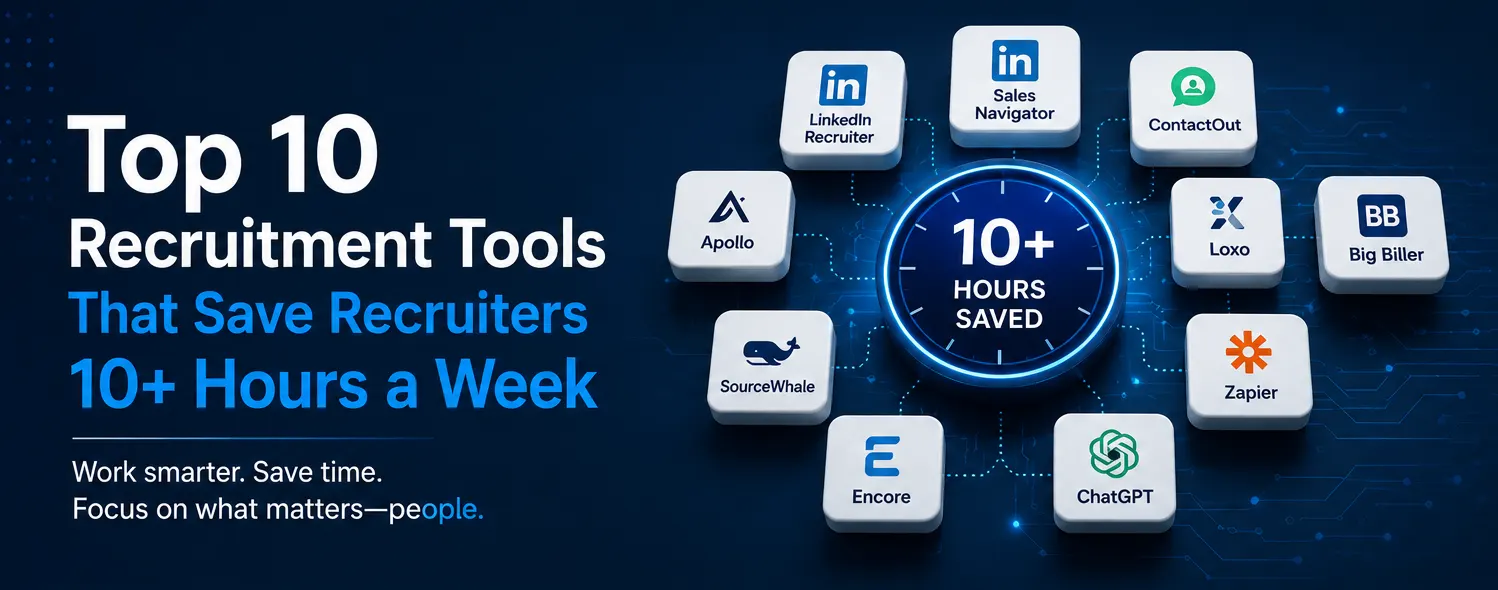
Top 10 Recruitment Tools That Save Recruiters 10+ Hours a Week
Recruiters don’t need more hours. They need fewer repetitive tasks.
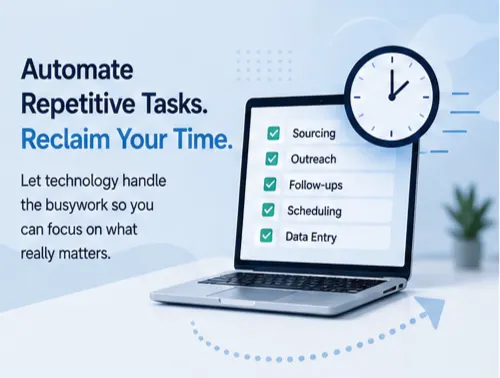
Between sourcing candidates, reviewing profiles, finding contact information, writing outreach messages, scheduling interviews, updating ATS records, and following up with clients, recruiters can spend a huge part of their week on work that doesn’t actually require their recruiting expertise.
The right recruitment technology can change that.
Today’s recruiting tools can automate repetitive workflows, accelerate candidate research, improve outreach, organize talent pipelines, and reduce administrative work. Used correctly, they give recruiters something far more valuable than another software subscription: time.
But technology alone isn’t the answer. The goal isn’t to use as many tools as possible. It’s to build a recruiting workflow where technology handles repetitive work while recruiters focus on what humans do best: building relationships, evaluating candidates, advising clients, and closing placements.
Here are 10 recruitment tools that can help recruiters dramatically improve productivity and potentially reclaim 10+ hours every week.
1. LinkedIn Recruiter: Faster Candidate Discovery
LinkedIn remains one of the most important platforms for professional talent sourcing, and LinkedIn Recruiter is designed specifically for recruiting teams.
Instead of manually searching through thousands of profiles, recruiters can use advanced filters to narrow down talent based on criteria such as:
- Job title
- Skills
- Location
- Industry
- Experience
- Current company
- Previous company
- Education
- Seniority
Recruiters can also organize prospects, communicate with candidates, and build talent pipelines within the platform.
Where the time savings come from
The biggest advantage isn’t simply finding more candidates. It’s finding relevant candidates faster.
A well-built Boolean search and carefully defined filters can turn hours of manual searching into a much more focused sourcing process.
Best for: Candidate sourcing and talent discovery
2. LinkedIn Sales Navigator: Powerful for Recruiting Research
Although Sales Navigator was originally built for sales professionals, recruiters can also use it for business development and talent research.
It’s particularly useful when recruiters need to identify:
- Hiring managers
- Company decision-makers
- Department leaders
- Founders
- Executives
- Potential clients
- Professionals with specific backgrounds
For staffing agencies, this can be especially valuable because recruitment often overlaps with business development research.
Where the time savings come from
Instead of manually researching companies and decision-makers across multiple sources, recruiters can use advanced search and lead/account filters to build targeted lists more efficiently.
Best for: Talent research and business development research
3. Apollo: Prospecting and Contact Discovery
Recruiters often spend significant time searching for professional contact information.
Apollo can help centralize prospecting by providing access to business contact data and tools for building targeted lists and managing outreach.
For recruitment teams, it can be useful for:
- Finding professional contact information
- Building prospect lists
- Researching companies
- Segmenting contacts
- Managing outreach
- Supporting business development campaigns
Where the time savings come from
Instead of jumping between multiple websites to research one prospect, recruiters can perform much of the research within one platform.
For staffing agencies working on both candidate acquisition and client development, this can reduce repetitive research.
Best for: Contact discovery and recruiting/business development research
4. ContactOut: Finding Candidate Contact Information
Sometimes LinkedIn helps you identify the perfect candidate—but reaching them can be the difficult part.
ContactOut is designed to help recruiters find professional contact information associated with online professional profiles. That can help recruiters expand their outreach beyond a single communication channel.
Where the time savings come from
Without a contact discovery tool, recruiters may spend significant time searching manually for:
- Work emails
- Professional contact details
- Additional communication channels
A specialized tool can make that process much faster.
Best for: Candidate contact discovery
5. SourceWhale: Automating Candidate Outreach
Finding candidates is only half the battle. You also need to contact them.
SourceWhale helps recruiting teams automate and manage outreach campaigns across multiple channels.
Recruiters can create structured sequences that help manage:
- Initial outreach
- Follow-ups
- Email campaigns
- Candidate engagement
- Outreach tracking
Where the time savings come from
Imagine having to remember every follow-up manually. Candidate A needs a follow-up tomorrow. Candidate B needs one in three days. Candidate C needs another message next week.
That quickly becomes a full-time administrative task.
Automated sequences allow recruiters to build the workflow once and let the system handle much of the follow-up process.
Best for: Recruitment outreach and follow-up automation
6. Loxo: Recruiting CRM and Automation
Recruiters don’t just need candidate databases. They need systems that help them manage relationships.
Loxo combines recruiting CRM capabilities with sourcing, automation, and talent-pipeline management.
Recruiting teams can use it to help manage:
- Candidate relationships
- Talent pipelines
- Outreach
- Recruiting workflows
- Candidate data
- Business development activity
Where the time savings come from
Instead of keeping candidate information scattered across spreadsheets, inboxes, LinkedIn messages, and separate notes, recruiters can centralize important information.
That means less time searching for information and more time actually recruiting.
Best for: Recruiting CRM and pipeline management
7. Big Biller: Organizing Candidate Data
Recruiters can lose hours simply trying to keep databases organized.
Big Biller is an applicant tracking and recruiting system designed to help staffing teams manage candidates, jobs, resumes, and recruiting workflows.
A centralized ATS can help recruiters:
- Track candidates
- Organize resumes
- Manage job orders
- Search candidate databases
- Track recruiting activity
- Maintain candidate records
Where the time savings come from
When candidate data is organized and searchable, recruiters don’t have to repeatedly rebuild lists or search through disconnected files.
The candidate you’ve already sourced might already be sitting in your database. You just need to find them.
Best for: Candidate database and ATS management
8. Encore: Streamlining Recruiting Workflows
Recruiting teams handling large candidate databases need systems that make information easy to access and manage.
Encore can support recruiting workflows by helping teams organize candidate and job information in a centralized environment.
For recruiters, centralized data can make it easier to:
- Search existing candidates
- Manage candidate records
- Track recruiting activity
- Organize job information
- Reduce duplicate research
Where the time savings come from
One of the biggest productivity killers in recruitment is re-doing work that has already been done.
If a candidate was researched three months ago but the information is difficult to find, a recruiter may simply repeat the entire process. A well-maintained recruiting database prevents that.
Best for: Recruiting database management and workflow organization
9. Zapier: Connecting Your Recruiting Tools
Recruiters often use multiple applications. The problem? Those applications don’t always communicate with each other.
That’s where automation platforms such as Zapier can become useful. Zapier can connect different applications and trigger automated actions.
For example: new lead → add to CRM → create task → send notification. Or: new form submission → add contact → update spreadsheet → notify recruiter.
The exact workflow depends on the systems a recruiting team uses.
Where the time savings come from
Without automation, recruiters may repeatedly copy information from one platform to another. That’s not recruiting. That’s data entry.
Automation can handle many repetitive handoffs so recruiters can focus on higher-value work.
Best for: Workflow automation and tool integration
10. ChatGPT: Faster Research, Writing, and Recruiting Support
AI has quickly become one of the most useful productivity tools available to recruiters. Used responsibly, ChatGPT can help with a wide range of recruiting tasks.
For example:
- Writing outreach messages
- Personalizing communication
- Creating Boolean search ideas
- Summarizing job descriptions
- Structuring candidate notes
- Creating interview questions
- Brainstorming sourcing strategies
- Drafting follow-ups
- Analyzing recruiting workflows
- Creating research frameworks
The key is understanding what AI should—and shouldn’t—do.
AI can accelerate repetitive thinking and writing. But recruiters should still verify important information, protect candidate data, and make the final judgment themselves.
Where the time savings come from
Instead of spending 20 minutes drafting an outreach campaign from scratch, recruiters can use AI to create a starting point in seconds and then refine it.
That time adds up quickly across dozens of searches and conversations.
Best for: Recruiting productivity, writing, research, and workflow support
The Real Productivity Hack: Your Recruiting Workflow
Here’s the important part. Having 10 tools doesn’t automatically make a recruiter productive.
In fact, using too many disconnected platforms can make recruiting more complicated.
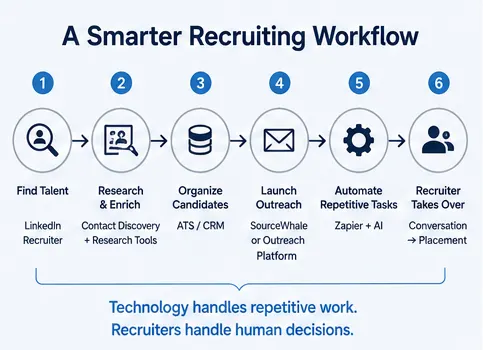
The real productivity advantage comes from building a workflow where every tool has a specific purpose. For example:
- Find talent — LinkedIn Recruiter.
- Research and enrich — contact discovery and research tools.
- Organize candidates — ATS / CRM.
- Launch outreach — SourceWhale or another outreach platform.
- Automate repetitive tasks — Zapier and AI.
- Recruiter takes over — conversation, qualification, interview, offer, placement.
That’s the ideal division of labor. Technology handles repetitive work. Recruiters handle human decisions.
How Much Time Can Recruiters Actually Save?
There isn’t a universal number. The amount of time saved depends on:
- Recruiter experience
- Number of open positions
- Candidate volume
- Existing workflows
- Database quality
- Automation level
- Number of tools used
- Outreach volume
- Internal processes
But consider where the hours can disappear during a normal recruiting week:
| Task | Traditional process | With the right tools |
|---|---|---|
| Candidate research | Highly manual | Faster, filtered searches |
| Contact discovery | Manual research | Automated / enriched data |
| Outreach | Individual messages | Sequences and templates |
| Follow-ups | Calendar / manual tracking | Automated workflows |
| Database updates | Repetitive entry | Centralized systems |
| Job/candidate matching | Manual searching | Searchable databases |
| Writing | Created from scratch | AI-assisted |
| Data transfer | Copy and paste | Workflow automation |
The goal isn’t to eliminate recruiting work. It’s to eliminate unnecessary recruiting work.
Don’t Automate the Human Part of Recruiting
This is where recruiters need to be careful. Automation can make recruiting faster. But recruiting isn’t purely transactional.

Candidates want to feel heard. Clients want strategic advice. Hiring managers need context. And successful placements depend on understanding people—not just matching keywords.
Use technology to remove repetitive tasks so recruiters have more time for meaningful conversations.
Don’t automate every interaction simply because you can. That’s where the real value is.
How Staffing Agencies Can Build a Smarter Recruiting Stack
For staffing agencies, the best technology stack isn’t necessarily the biggest one. It’s the one that supports the agency’s actual recruiting process.
Start by asking:
What takes recruiters the most time?
Identify the repetitive tasks that consume hours every week.
Where are recruiters duplicating work?
Look for information being entered into multiple systems.
Which tasks can be automated?
Separate administrative tasks from relationship-driven work.
Where are candidates falling through the cracks?
Examine follow-ups, database management, and communication.
Which tools actually improve results?
Track response rates, time-to-submit, time-to-fill, and placement outcomes.
Technology should serve the process—not the other way around.
Final Thoughts
The best recruitment tools aren’t valuable because they’re trendy. They’re valuable because they give recruiters something they desperately need: more time to recruit.
When sourcing, research, outreach, database management, follow-ups, and administrative tasks become faster, recruiters can spend more time doing the work that actually drives placements.
The future of recruiting isn’t about replacing recruiters with technology. It’s about giving recruiters better technology so they can become faster, more strategic, and more effective.
And that may be the biggest productivity advantage of all.
Don’t ask, “How many tools should our recruiting team use?” Ask: “Which parts of our recruiting process should technology handle so our recruiters can focus on what humans do best?”
That’s where the real time savings begin.
Key Takeaways
- Use technology to eliminate repetitive work. Recruiters should spend less time on administrative tasks.
- Choose tools based on workflow, not popularity. The best tool is the one that solves an actual bottleneck.
- Automate follow-ups and repetitive communication. Don’t waste hours manually tracking every outreach sequence.
- Keep your candidate database organized. Good data prevents recruiters from repeatedly doing the same research.
- Use AI as a productivity assistant. Let it accelerate research and writing while humans make the final decisions.
- Connect your systems. Automation becomes much more powerful when your tools work together.
- Protect the human side of recruiting. Technology should create more time for conversations—not eliminate them.